I've stacked a few Cisco 2960S switches last year and now I'll be stacking switches again but this time on a Cisco 3650 switch. The stacking technique and commands are similar to a Cisco Catalyst 3850. There were IOS version mismatch when I initially booted up the switches. So I've quickly transferred and booted the same IOS via its USB port.
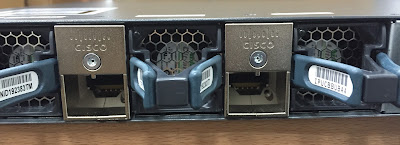
The Cisco 3650 uses a StackWise-160 cable and adapter. The StackWise kit also includes a hex key wrench.


Booting...Initializing RAM +++++++@@@@@@@@...++++++++++++++++++++++++++++++++@@@@@@@@@@@@@@@@@@@@@@@@@@@@@@@@done.
Memory Test Pass!
Base ethernet MAC Address: 18:8b:9d:0a:d1:23
Interface GE 0 link down***ERROR: PHY link is down
Initializing Flash...
flashfs[7]: 0 files, 1 directories
flashfs[7]: 0 orphaned files, 0 orphaned directories
flashfs[7]: Total bytes: 6784000
flashfs[7]: Bytes used: 1024
flashfs[7]: Bytes available: 6782976
flashfs[7]: flashfs fsck took 1 seconds....done Initializing Flash.
Getting rest of image
Reading full image into memory....done
Reading full base package into memory...: done = 79122052
Bundle Image
--------------------------------------
Kernel Address : 0x6042d350
Kernel Size : 0x402ecf/4206287
Initramfs Address : 0x60830220
Initramfs Size : 0xdb9c62/14392418
Compression Format: .mzip
Bootable image at @ ram:0x6042d350
Bootable image segment 0 address range [0x81100000, 0x82110000] is in range [0x80180000, 0x90000000].
@@@@@@@@@@@@@@@@@@@@@@@@@@@@@@@@@@@@@@@@@@@@@@@@@@@@@@@@@@@@@@@@@@@@@@@boot_system: 377
Loading Linux kernel with entry point 0x81653a10 ...
Bootloader: Done loading app on core_mask: 0xf
### Launching Linux Kernel (flags = 0x5)
All packages are Digitally Signed
Starting System Services
Sep 28 06:05:26 %STACKMGR-1-STACK_LINK_CHANGE: Stack port 1 on switch 1 is up
#######################################################################################################################
Restricted Rights Legend
Use, duplication, or disclosure by the Government is
subject to restrictions as set forth in subparagraph
(c) of the Commercial Computer Software - Restricted
Rights clause at FAR sec. 52.227-19 and subparagraph
(c) (1) (ii) of the Rights in Technical Data and Computer
Software clause at DFARS sec. 252.227-7013.
cisco Systems, Inc.
170 West Tasman Drive
San Jose, California 95134-1706
Cisco IOS Software, IOS-XE Software, Catalyst L3 Switch Software (CAT3K_CAA-UNIVERSALK9-M), Version 03.03.05SE RELEASE SOFTWARE (fc1)
Technical Support: http://www.cisco.com/techsupport
Copyright (c) 1986-2014 by Cisco Systems, Inc.
Compiled Thu 30-Oct-14 13:12 by prod_rel_team
Cisco IOS-XE software, Copyright (c) 2005-2014 by cisco Systems, Inc.
All rights reserved. Certain components of Cisco IOS-XE software are
licensed under the GNU General Public License ("GPL") Version 2.0. The
software code licensed under GPL Version 2.0 is free software that comes
with ABSOLUTELY NO WARRANTY. You can redistribute and/or modify such
GPL code under the terms of GPL Version 2.0.
(http://www.gnu.org/licenses/gpl-2.0.html) For more details, see the
documentation or "License Notice" file accompanying the IOS-XE software,
or the applicable URL provided on the flyer accompanying the IOS-XE
software.
FIPS: Flash Key Check : Begin
FIPS: Flash Key Check : End, Not Found,FIPS Mode Not Enabled
This product contains cryptographic features and is subject to United
States and local country laws governing import, export, transfer and
use. Delivery of Cisco cryptographic products does not imply
third-party authority to import, export, distribute or use encryption.
Importers, exporters, distributors and users are responsible for
compliance with U.S. and local country laws. By using this product you
agree to comply with applicable laws and regulations. If you are unable
to comply with U.S. and local laws, return this product immediately.
A summary of U.S. laws governing Cisco cryptographic products may be found at:
http://www.cisco.com/wwl/export/crypto/tool/stqrg.html
If you require further assistance please contact us by sending email to
export@cisco.com.
cisco WS-C3650-48PS (MIPS) processor with 4194304K bytes of physical memory.
Processor board ID FDO1817QDEF
2048K bytes of non-volatile configuration memory.
4194304K bytes of physical memory.
250456K bytes of Crash Files at crashinfo:.
250456K bytes of Crash Files at crashinfo-2:.
250456K bytes of Crash Files at crashinfo-3:.
1609272K bytes of Flash at flash:.
1609272K bytes of Flash at flash-2:.
1609272K bytes of Flash at flash-3:.
0K bytes of Dummy USB Flash at usbflash0:.
0K bytes of Dummy USB Flash at usbflash0-2:.
0K bytes of Dummy USB Flash at usbflash0-3:.
0K bytes of at webui:.
Base Ethernet MAC Address : 18:8b:9d:0a:d1:23
Motherboard Assembly Number : 73-15901-04
Motherboard Serial Number : FDO18268ABC
Model Revision Number : H0
Motherboard Revision Number : A0
Model Number : WS-C3650-48PS
System Serial Number : FDO1817QDEF
Press RETURN to get started!
Compressed configuration from 7132 bytes to 2169 bytes[OK]
Switch01>enable
Switch01#show switch
Switch/Stack Mac Address : 188b.9d0a.d123 - Local Mac Address
Mac persistency wait time: Indefinite
H/W Current
Switch# Role Mac Address Priority Version State
------------------------------------------------------------
*1 Active 188b.9d0a.d123 1 V02 Ready
2 Member 80e0.1de5.6456 1 0 V-Mismatch // IOS VERSION MISMATCH
3 Member 84b8.028f.c789 1 0 V-Mismatch
Switch01#show version
Cisco IOS Software, IOS-XE Software, Catalyst L3 Switch Software (CAT3K_CAA-UNIVERSALK9-M), Version 03.03.05SE RELEASE SOFTWARE (fc1)
Technical Support: http://www.cisco.com/techsupport
Copyright (c) 1986-2014 by Cisco Systems, Inc.
Compiled Thu 30-Oct-14 13:12 by prod_rel_team
Cisco IOS-XE software, Copyright (c) 2005-2014 by cisco Systems, Inc.
All rights reserved. Certain components of Cisco IOS-XE software are
licensed under the GNU General Public License ("GPL") Version 2.0. The
software code licensed under GPL Version 2.0 is free software that comes
with ABSOLUTELY NO WARRANTY. You can redistribute and/or modify such
GPL code under the terms of GPL Version 2.0.
(http://www.gnu.org/licenses/gpl-2.0.html) For more details, see the
documentation or "License Notice" file accompanying the IOS-XE software,
or the applicable URL provided on the flyer accompanying the IOS-XE
software.
ROM: IOS-XE ROMMON
BOOTLDR: CAT3K_CAA Boot Loader (CAT3K_CAA-HBOOT-M) Version 1.18, RELEASE SOFTWARE (P)
Switch01 uptime is 7 minutes
Uptime for this control processor is 15 minutes
System returned to ROM by reload
System image file is "flash:packages.conf"
Last reload reason: reload
This product contains cryptographic features and is subject to United
States and local country laws governing import, export, transfer and
use. Delivery of Cisco cryptographic products does not imply
third-party authority to import, export, distribute or use encryption.
Importers, exporters, distributors and users are responsible for
compliance with U.S. and local country laws. By using this product you
agree to comply with applicable laws and regulations. If you are unable
to comply with U.S. and local laws, return this product immediately.
A summary of U.S. laws governing Cisco cryptographic products may be found at:
http://www.cisco.com/wwl/export/crypto/tool/stqrg.html
If you require further assistance please contact us by sending email to
export@cisco.com.
License Level: Ipbase
License Type: Permanent
Next reload license Level: Ipbase
cisco WS-C3650-48PS (MIPS) processor with 4194304K bytes of physical memory.
Processor board ID FDO1817QDEF
1 Virtual Ethernet interface
156 Gigabit Ethernet interfaces
2048K bytes of non-volatile configuration memory.
4194304K bytes of physical memory.
250456K bytes of Crash Files at crashinfo:.
250456K bytes of Crash Files at crashinfo-2:.
250456K bytes of Crash Files at crashinfo-3:.
1609272K bytes of Flash at flash:.
1609272K bytes of Flash at flash-2:.
1609272K bytes of Flash at flash-3:.
0K bytes of Dummy USB Flash at usbflash0:.
0K bytes of Dummy USB Flash at usbflash0-2:.
0K bytes of Dummy USB Flash at usbflash0-3:.
0K bytes of at webui:.
Base Ethernet MAC Address : 18:8b:9d:0a:d1:23
Motherboard Assembly Number : 73-15901-04
Motherboard Serial Number : FDO18268ABC
Model Revision Number : H0
Motherboard Revision Number : A0
Model Number : WS-C3650-48PS
System Serial Number : FDO1817QDEF
Switch Ports Model SW Version SW Image Mode
------ ----- ----- ---------- ---------- ----
* 1 52 WS-C3650-48PS 03.03.05SE cat3k_caa-universalk9 INSTALL
Configuration register is 0x102
Switch01#show flash
-#- --length-- ---------date/time--------- path
2 79122052 Jun 25 2015 01:07:42.0000000000 +00:00 cat3k_caa-base.SPA.03.03.05SE.pkg
3 6521532 Jun 25 2015 01:07:43.0000000000 +00:00 cat3k_caa-drivers.SPA.03.03.05SE.pkg
4 34530288 Jun 25 2015 01:07:42.0000000000 +00:00 cat3k_caa-infra.SPA.03.03.05SE.pkg
5 34846028 Jun 25 2015 01:07:43.0000000000 +00:00 cat3k_caa-iosd-universalk9.SPA.150-1.EZ5.pkg
6 25170832 Jun 25 2015 01:07:42.0000000000 +00:00 cat3k_caa-platform.SPA.03.03.05SE.pkg
7 77456192 Jun 25 2015 01:07:43.0000000000 +00:00 cat3k_caa-wcm.SPA.10.1.150.0.pkg
8 1247 Jun 25 2015 01:07:54.0000000000 +00:00 packages.conf
9 2097152 Sep 28 2015 06:12:05.0000000000 +00:00 nvram_config
1277083648 bytes available (262492160 bytes used)
Switch01#session ?
standby Connect to the standby
switch Connect to diag-shell
Switch01#session switch ?
<1-3> Enter switch #
<cr>
Switch01#session switch 2 // TO CONSOLE TO SW02
Switch01(diag)>
Exec mode commands
codecov request cflow command
default Set a command to its defaults
enable Enable privilege level
license Configure license.
no Negate a command or set its defaults
request Request commands
session Open a connection
wireless Configure wireless parameters
Switch01(diag)>enable
Password:
Enable password is not set
Switch01(diag)>
Exec mode commands
codecov request cflow command
default Set a command to its defaults
enable Enable privilege level
license Configure license.
no Negate a command or set its defaults
request Request commands
session Open a connection
wireless Configure wireless parameters
Switch01(diag)>show
% Unrecognized command // CAN'T ISSUE COMMANDS SINCE THERE'S VERSION MISMATCH
Switch01#dir usbflash0:
Directory of usbflash0:/
112 -rwx 0 Aug 20 2013 07:39:20 +00:00 system
113 -rwx 62682268 Mar 29 2012 12:04:58 +00:00 c2900-universalk9-mz.SPA.150-1.M4.bin
114 -rwx 21890692 May 26 2012 13:15:44 +00:00 c870-advipservicesk9-mz.124-24.T4.bin
115 -rwx 4968160 Dec 9 2014 11:44:34 +00:00 TeamViewerQS_en-idch93gk2g.exe
116 -rwx 310347344 Feb 4 2015 12:52:10 +00:00 cat3k_caa-universalk9.SPA.03.07.00.E.152-3.E.bin
117 -rwx 125231421 Feb 12 2015 17:00:24 +00:00 lms5.1.bin
118 -rwx 257650008 Mar 12 2015 14:01:06 +00:00 cat3k_caa-universalk9ldpe.SPA.03.03.05.SE.150-1.EZ5.bin
119 -rwx 38172672 May 21 2015 10:01:48 +00:00 asa916-4-smp-k8.bin
120 -rwx 257651868 Sep 28 2015 14:08:58 +00:00 cat3k_caa-universalk9.SPA.03.03.05.SE.150-1.EZ5.bin
2013200384 bytes total (934510592 bytes free)
Switch01#
Switch01#copy usbflash0:cat3k_caa-universalk9.SPA.03.03.05.SE.150-1.EZ5.bin
Destination filename [cat3k_caa-universalk9.SPA.03.03.05.SE.150-1.EZ5.bin]?
Copy in progress...CCCCCCCCCCCCCCCCCCCCCCCCCCCCCCCCCCCCCCCCCCCCCCCCCCCCCCCCCCCCCCCCCCCCCCCCCCCCCCCCCCCCCCCCCC
<OUTPUT TRUNCATED>
CCCCCCCCCCCCCCCCCCCCCCCCCCCCCCCCCCCCCCCCCCCCCCCCCCCCCCCCCCCCCCCCCCCCCCCCCCCCCCCCCCCCCCCCCCCCCCCCCCCC
257650008 bytes copied in 43.970 secs (5859677 bytes/sec)
Switch01#
Switch01#configure terminal
Enter configuration commands, one per line. End with CNTL/Z.
Switch01(config)#boot system flash:cat3k_caa-universalk9.SPA.03.03.05.SE.150-1.EZ5.bin
Switch01(config)#do show run | inc boot
boot-start-marker
boot system switch all flash:cat3k_caa-universalk9.SPA.03.03.05.SE.150-1.EZ5.binn
boot-end-marker
diagnostic bootup level minimal
Switch01(config)#end
Switch01#write memory
Building configuration...
Compressed configuration from 5425 bytes to 1982 bytes[OK]
Switch02#reload
Reload command is being issued on Active unit, this will reload the whole stack
Proceed with reload? [confirm]
<Mon Sep 28 06:34:06 2015> Message from sysmgr: Reason Code:[3] Reset Reason:Reset/Reload requested by [stack-manager]. [Reload command]
umount: /proc/fs/nfsd: not mounted
Switch02#copy usbflash0:cat3k_caa-universalk9.SPA.03.03.05.SE.150-1.EZ5.bin
Destination filename [cat3k_caa-universalk9.SPA.03.03.05.SE.150-1.EZ5.bin]?
Copy in progress...CCCCCCCCCCCCCCCCCCCCCCCCCCCCCCCCCCCCCCCCCCCCCCCCCCCCCCCCCCCCCCCCCCCCCCCCCCCCCCCCCCCCCCCCCC
<OUTPUT TRUNCATED>
CCCCCCCCCCCCCCCCCCCCCCCCCCCCCCCCCCCCCCCCCCCCCCCCCCCCCCCCCCCCCCCCCCCCCCCCCCCCCCCCCCCCCCCCCCCCCCCCCCCC
257650008 bytes copied in 43.970 secs (5859677 bytes/sec)
Switch02#
Switch02#configure terminal
Enter configuration commands, one per line. End with CNTL/Z.
Switch02(config)#boot system flash:cat3k_caa-universalk9.SPA.03.03.05.SE.150-1.EZ5.bin
Switch02(config)#do show run | inc boot
boot-start-marker
boot system switch all flash:cat3k_caa-universalk9.SPA.03.03.05.SE.150-1.EZ5.binn
boot-end-marker
diagnostic bootup level minimal
Switch02(config)#end
Switch02#write memory
Building configuration...
Compressed configuration from 5425 bytes to 1982 bytes[OK]
Switch#reload
Reload command is being issued on Active unit, this will reload the whole stack
Proceed with reload? [confirm]
<Mon Sep 28 07:17:05 2015> Message from sysmgr: Reason Code:[3] Reset Reason:Reset/Reload requested by [stack-manager]. [Reload command]
umount: /proc/fs/nfsd: not mounted
<OUTPUT TRUNCATED>
Switch02 became the active switch in the stack since its MAC address is higher than Switch01. Switch03 didn't join the stack since it has IOS version mismatch.
Sep 28 07:36:23 %STACKMGR-1-STACK_LINK_CHANGE: Stack port 1 on switch 1 is up
#######################################################################################################################
Switch02 console is now available
Press RETURN to get started.
Switch02>enable
Switch02#show switch
Switch/Stack Mac Address : 80e0.1de5.6456 - Local Mac Address
Mac persistency wait time: Indefinite
H/W Current
Switch02# Role Mac Address Priority Version State
------------------------------------------------------------
1 Member 188b.9d0a.d123 1 V02 Ready
*2 Active 80e0.1de5.6456 1 V02 Ready
3 Member 84b8.028f.c789 1 0 V-Mismatch
Switch02#show version
Cisco IOS Software, IOS-XE Software, Catalyst L3 Switch Software (CAT3K_CAA-UNIVERSALK9-M), Version 03.03.05.SE RELEASE SOFTWARE (fc1)
Technical Support: http://www.cisco.com/techsupport
Copyright (c) 1986-2014 by Cisco Systems, Inc.
Compiled Thu 30-Oct-14 13:12 by prod_rel_team
Cisco IOS-XE software, Copyright (c) 2005-2014 by cisco Systems, Inc.
All rights reserved. Certain components of Cisco IOS-XE software are
licensed under the GNU General Public License ("GPL") Version 2.0. The
software code licensed under GPL Version 2.0 is free software that comes
with ABSOLUTELY NO WARRANTY. You can redistribute and/or modify such
GPL code under the terms of GPL Version 2.0.
(http://www.gnu.org/licenses/gpl-2.0.html) For more details, see the
documentation or "License Notice" file accompanying the IOS-XE software,
or the applicable URL provided on the flyer accompanying the IOS-XE
software.
ROM: IOS-XE ROMMON
BOOTLDR: CAT3K_CAA Boot Loader (CAT3K_CAA-HBOOT-M) Version 1.18, RELEASE SOFTWARE (P)
Switch02 uptime is 1 minute
Uptime for this control processor is 9 minutes
System returned to ROM by reload
System image file is "flash:cat3k_caa-universalk9.SPA.03.03.05.SE.150-1.EZ5.bin"
Last reload reason: Reload command
This product contains cryptographic features and is subject to United
States and local country laws governing import, export, transfer and
use. Delivery of Cisco cryptographic products does not imply
third-party authority to import, export, distribute or use encryption.
Importers, exporters, distributors and users are responsible for
compliance with U.S. and local country laws. By using this product you
agree to comply with applicable laws and regulations. If you are unable
to comply with U.S. and local laws, return this product immediately.
A summary of U.S. laws governing Cisco cryptographic products may be found at:
http://www.cisco.com/wwl/export/crypto/tool/stqrg.html
If you require further assistance please contact us by sending email to
export@cisco.com.
License Level: Ipbase
License Type: Permanent
Next reload license Level: Ipbase
cisco WS-C3650-48PS (MIPS) processor with 4194304K bytes of physical memory.
Processor board ID FDO1817QJKL
1 Virtual Ethernet interface
156 Gigabit Ethernet interfaces
2048K bytes of non-volatile configuration memory.
4194304K bytes of physical memory.
250456K bytes of Crash Files at crashinfo:.
250456K bytes of Crash Files at crashinfo-1:.
250456K bytes of Crash Files at crashinfo-3:.
1609272K bytes of Flash at flash:.
1609272K bytes of Flash at flash-1:.
1609272K bytes of Flash at flash-3:.
0K bytes of Dummy USB Flash at usbflash0:.
0K bytes of Dummy USB Flash at usbflash0-1:.
0K bytes of Dummy USB Flash at usbflash0-3:.
0K bytes of at webui:.
Base Ethernet MAC Address : 80:e0:1d:e5:64:56
Motherboard Assembly Number : 73-15901-04
Motherboard Serial Number : FDO18268GHI
Model Revision Number : H0
Motherboard Revision Number : A0
Model Number : WS-C3650-48PS
System Serial Number : FDO1817QJKL
Switch Ports Model SW Version SW Image Mode
------ ----- ----- ---------- ---------- ----
1 52 WS-C3650-48PS 03.03.05.SE cat3k_caa-universalk9 BUNDLE
* 2 52 WS-C3650-48PS 03.03.05.SE cat3k_caa-universalk9 BUNDLE
Switch 01
--------
Switch01 uptime : 7 minutes
Base Ethernet MAC Address : 18:8b:9d:0a:d1:23
Motherboard Assembly Number : 73-15901-04
Motherboard Serial Number : FDO18268ABC
Model Revision Number : H0
Motherboard Revision Number : A0
Model Number : WS-C3650-48PS
System Serial Number : FDO1817QDEF
Configuration register is 0x102
Switch02#software ?
auto-upgrade Initiate auto upgrade for switches running incompatible
software
clean Clean unused package files from local media
commit Commit the provisioned software and cancel the automatic
rollback timer
expand Expand a software bundle to local storage, default location is
where the bundle currently resides
install Install software
rollback Rollback the committed software
Switch02#software auto-upgrade // TRIED TO UPGRADE SW03 STACK MEMBER
% The active switch must be running installed software to perform
the 'software auto-upgrade' operation
Switch03#configure terminal
Enter configuration commands, one per line. End with CNTL/Z.
Switch03(config)#boot system flash:cat3k_caa-universalk9.SPA.03.03.05.SE.150-1.EZ5.bin
Switch03(config)#end
*Sep 28 07:47:05.293: %SYS-5-CONFIG_I: Configured from console by console
Switch03#reload
<OUTPUT TRUNCATED>
CONSOLE TO SW01
#Sep 28 07:59:47 %STACKMGR-1-STACK_LINK_CHANGE: Stack port 1 on switch 1 is up
Restricted Rights Legend
Use, duplication, or disclosure by the Government is
subject to restrictions as set forth in subparagraph
(c) of the Commercial Computer Software - Restricted
Rights clause at FAR sec. 52.227-19 and subparagraph
(c) (1) (ii) of the Rights in Technical Data and Computer
Software clause at DFARS sec. 252.227-7013.
cisco Systems, Inc.
170 West Tasman Drive
San Jose, California 95134-1706
Cisco IOS Software, IOS-XE Software, Catalyst L3 Switch Software (CAT3K_CAA-UNIVERSALK9-M), Version 03.03.05.SE RELEASE SOFTWARE (fc1)
Technical Support: http://www.cisco.com/techsupport
Copyright (c) 1986-2014 by Cisco Systems, Inc.
Compiled Thu 30-Oct-14 13:12 by prod_rel_team
Cisco IOS-XE software, Copyright (c) 2005-2014 by cisco Systems, Inc.
All rights reserved. Certain components of Cisco IOS-XE software are
licensed under the GNU General Public License ("GPL") Version 2.0. The
software code licensed under GPL Version 2.0 is free software that comes
with ABSOLUTELY NO WARRANTY. You can redistribute and/or modify such
GPL code under the terms of GPL Version 2.0.
(http://www.gnu.org/licenses/gpl-2.0.html) For more details, see the
documentation or "License Notice" file accompanying the IOS-XE software,
or the applicable URL provided on the flyer accompanying the IOS-XE
software.
FIPS: Flash Key Check : Begin
FIPS: Flash Key Check : End, Not Found,FIPS Mode Not Enabled
This product contains cryptographic features and is subject to United
States and local country laws governing import, export, transfer and
use. Delivery of Cisco cryptographic products does not imply
third-party authority to import, export, distribute or use encryption.
Importers, exporters, distributors and users are responsible for
compliance with U.S. and local country laws. By using this product you
agree to comply with applicable laws and regulations. If you are unable
to comply with U.S. and local laws, return this product immediately.
A summary of U.S. laws governing Cisco cryptographic products may be found at:
http://www.cisco.com/wwl/export/crypto/tool/stqrg.html
If you require further assistance please contact us by sending email to
export@cisco.com.
cisco WS-C3650-48PS (MIPS) processor with 4194304K bytes of physical memory.
Processor board ID FDO1817Q1MR
2048K bytes of non-volatile configuration memory.
4194304K bytes of physical memory.
250456K bytes of Crash Files at crashinfo:.
250456K bytes of Crash Files at crashinfo-2:.
250456K bytes of Crash Files at crashinfo-3:.
1609272K bytes of Flash at flash:.
1609272K bytes of Flash at flash-2:.
1609272K bytes of Flash at flash-3:.
0K bytes of Dummy USB Flash at usbflash0:.
0K bytes of Dummy USB Flash at usbflash0-2:.
0K bytes of Dummy USB Flash at usbflash0-3:.
0K bytes of at webui:.
Base Ethernet MAC Address : 18:8b:9d:0a:d1:23
Motherboard Assembly Number : 73-15901-04
Motherboard Serial Number : FDO18268ABC
Model Revision Number : H0
Motherboard Revision Number : A0
Model Number : WS-C3650-48PS
System Serial Number : FDO1817QDEF
The System is using a non-recommended Boot mode.
Not all features may be available in this boot mode.
Please check the product configuration guide.
Switch 02
---------
Switch uptime : 4 minutes
Base Ethernet MAC Address : 80:e0:1d:e5:64:56
Motherboard Assembly Number : 73-15901-04
Motherboard Serial Number : FDO18268GHI
Model Revision Number : H0
Motherboard Revision Number : A0
Model Number : WS-C3650-48PS
System Serial Number : FDO1817QJKL
Switch 03
---------
Switch uptime : 3 minutes
Base Ethernet MAC Address : 84:b8:02:8f:c7:89
Motherboard Assembly Number : 73-15901-04
Motherboard Serial Number : FDO1826TMNO
Model Revision Number : H0
Motherboard Revision Number : A0
Model Number : WS-C3650-48PS
System Serial Number : FDO1825QPQR
Press RETURN to get started!
Switch01>% Generating 1024 bit RSA keys, keys will be non-exportable...
[OK] (elapsed time was 1 seconds)
Compressed configuration from 7213 bytes to 2239 bytes[OK]
Switch01#show switch
Switch/Stack Mac Address : 188b.9d0a.d680 - Local Mac Address
Mac persistency wait time: Indefinite
H/W Current
Switch01# Role Mac Address Priority Version State
------------------------------------------------------------
*1 Active 188b.9d0a.d123 1 V02 Ready // BOOTED FIRST
2 Standby 80e0.1de5.6456 1 V02 Ready // BOOTED SECOND
3 Member 84b8.028f.c789 1 V02 Ready // BOOTED LAST
Switch01#show version
Cisco IOS Software, IOS-XE Software, Catalyst L3 Switch Software (CAT3K_CAA-UNIVERSALK9-M), Version 03.03.05.SE RELEASE SOFTWARE (fc1)
Technical Support: http://www.cisco.com/techsupport
Copyright (c) 1986-2014 by Cisco Systems, Inc.
Compiled Thu 30-Oct-14 13:12 by prod_rel_team
Cisco IOS-XE software, Copyright (c) 2005-2014 by cisco Systems, Inc.
All rights reserved. Certain components of Cisco IOS-XE software are
licensed under the GNU General Public License ("GPL") Version 2.0. The
software code licensed under GPL Version 2.0 is free software that comes
with ABSOLUTELY NO WARRANTY. You can redistribute and/or modify such
GPL code under the terms of GPL Version 2.0.
(http://www.gnu.org/licenses/gpl-2.0.html) For more details, see the
documentation or "License Notice" file accompanying the IOS-XE software,
or the applicable URL provided on the flyer accompanying the IOS-XE
software.
ROM: IOS-XE ROMMON
BOOTLDR: CAT3K_CAA Boot Loader (CAT3K_CAA-HBOOT-M) Version 1.18, RELEASE SOFTWARE (P)
Switch01 uptime is 5 minutes
Uptime for this control processor is 10 minutes
System returned to ROM by reload
System image file is "flash:cat3k_caa-universalk9.SPA.03.03.05.SE.150-1.EZ5.bin"
Last reload reason: reload
This product contains cryptographic features and is subject to United
States and local country laws governing import, export, transfer and
use. Delivery of Cisco cryptographic products does not imply
third-party authority to import, export, distribute or use encryption.
Importers, exporters, distributors and users are responsible for
compliance with U.S. and local country laws. By using this product you
agree to comply with applicable laws and regulations. If you are unable
to comply with U.S. and local laws, return this product immediately.
A summary of U.S. laws governing Cisco cryptographic products may be found at:
http://www.cisco.com/wwl/export/crypto/tool/stqrg.html
If you require further assistance please contact us by sending email to
export@cisco.com.
License Level: Ipbase
License Type: Permanent
Next reload license Level: Ipbase
cisco WS-C3650-48PS (MIPS) processor with 4194304K bytes of physical memory.
Processor board ID FDO1817Q1MR
1 Virtual Ethernet interface
156 Gigabit Ethernet interfaces
2048K bytes of non-volatile configuration memory.
4194304K bytes of physical memory.
250456K bytes of Crash Files at crashinfo:.
250456K bytes of Crash Files at crashinfo-2:.
250456K bytes of Crash Files at crashinfo-3:.
1609272K bytes of Flash at flash:.
1609272K bytes of Flash at flash-2:.
1609272K bytes of Flash at flash-3:.
0K bytes of Dummy USB Flash at usbflash0:.
0K bytes of Dummy USB Flash at usbflash0-2:.
0K bytes of Dummy USB Flash at usbflash0-3:.
0K bytes of at webui:.
Base Ethernet MAC Address : 18:8b:9d:0a:d1:23
Motherboard Assembly Number : 73-15901-04
Motherboard Serial Number : FDO18268ABC
Model Revision Number : H0
Motherboard Revision Number : A0
Model Number : WS-C3650-48PS
System Serial Number : FDO1817QDEF
Switch Ports Model SW Version SW Image Mode
------ ----- ----- ---------- ---------- ----
* 1 52 WS-C3650-48PS 03.03.05.SE cat3k_caa-universalk9 BUNDLE
2 52 WS-C3650-48PS 03.03.05.SE cat3k_caa-universalk9 BUNDLE
3 52 WS-C3650-48PS 03.03.05.SE cat3k_caa-universalk9 BUNDLE
Switch 02
---------
Switch uptime : 9 minutes
Base Ethernet MAC Address : 80:e0:1d:e5:64:56
Motherboard Assembly Number : 73-15901-04
Motherboard Serial Number : FDO18268GHI
Model Revision Number : H0
Motherboard Revision Number : A0
Model Number : WS-C3650-48PS
System Serial Number : FDO1817QJKL
Switch 03
---------
Switch uptime : 8 minutes
Base Ethernet MAC Address : 84:b8:02:8f:c7:89
Motherboard Assembly Number : 73-15901-04
Motherboard Serial Number : FDO1826TMNO
Model Revision Number : H0
Motherboard Revision Number : A0
Model Number : WS-C3650-48PS
System Serial Number : FDO1825QPQR
Configuration register is 0x102
Switch#switch ?
<1-9> Switch Number
Switch#switch 1 ?
priority Set the priority of the specified switch
renumber Renumber the specified switch number
stack Stack port enable or disable
Switch#switch 1 priority ?
<1-15> Switch Priority
Switch#switch 1 priority 15 // HIGHER PRIORITY PREFERRED
WARNING: Changing the switchpriority may result in a configuration change for that switch. Do you want to continue?[y/n]y
Switch#switch 2 priority 12
WARNING: Changing the switchpriority may result in a configuration change for that switch. Do you want to continue?[y/n]y
Switch#switch 3 priority 10
WARNING: Changing the switchpriority may result in a configuration change for that switch. Do you want to continue?[y/n]y
Switch#
Switch#show switch
Switch/Stack Mac Address : 188b.9d0a.d680 - Local Mac Address
Mac persistency wait time: Indefinite
H/W Current
Switch# Role Mac Address Priority Version State
------------------------------------------------------------
*1 Active 188b.9d0a.d123 15 V02 Ready
2 Standby 80e0.1de5.6456 12 V02 Ready
3 Member 84b8.028f.c789 10 V02 Ready
Switch#configure terminal
Enter configuration commands, one per line. End with CNTL/Z.
Switch(config)#switch ?
<1-9> Switch Number
Switch(config)#switch 1 ?
provision Configure Switch provision / offline config
Switch(config)#switch 1 provision ?
ws-c3650-24pd Catalyst 3650 Series Switch with 24 GE POE and 2GE+2TenGE
Interfaces
ws-c3650-24ps Catalyst 3650 Series Switch with 24 GE POE and 4 GE Interfaces
ws-c3650-24td Catalyst 3650 Series Switch with 24 GE and 2GE+2TenGE
Interfaces
ws-c3650-24ts Catalyst 3650 Series Switch with 24 GE and 4 GE Interfaces
ws-c3650-48pd Catalyst 3650 Series Switch with 48 GE POE and 2GE+2TenGE
Interfaces
ws-c3650-48pq Catalyst 3650 Series Switch with 48 GE POE and 4 TenGE
Interfaces
ws-c3650-48ps Catalyst 3650 Series Switch with 48 GE POE and 4 GE Interfaces
ws-c3650-48td Catalyst 3650 Series Switch with 48 GE and 2GE+2TenGE
Interfaces
ws-c3650-48tq Catalyst 3650 Series Switch with 48 GE and 4 TenGE Interfaces
ws-c3650-48ts Catalyst 3650 Series Switch with 48 GE and 4 GE Interfaces
ws-c3850-12s Catalyst 3850 Series Switch with 12 1GE SFP Interfaces
ws-c3850-24p Catalyst 3850 Series Switch with 24 GE POE Interfaces
ws-c3850-24s Catalyst 3850 Series Switch with 24 1GE SFP Interfaces
ws-c3850-24t Catalyst 3850 Series Switch with 24 GE Interfaces
ws-c3850-24u Catalyst 3850 Series Switch with 24 GE UPOE Interfaces
ws-c3850-48p Catalyst 3850 Series Switch with 48 GE POE Interfaces
ws-c3850-48t Catalyst 3850 Series Switch with 48 GE Interfaces
ws-c3850-48u Catalyst 3850 Series Switch with 48 GE UPOE Interfaces
Switch01(config)#switch 1 provision ws-c3650-48ps // OPTIONAL COMMAND; ENABLE OFFLINE PORT CONFIGURATION/PROVISION PORTS ON ADDITIONAL SWITCH MEMBER (BEFORE STACKING)
Switch01(config)#switch 2 provision ws-c3650-48ps
Switch01(config)#switch 3 provision ws-c3650-48ps
Switch01#show switch detail
Switch/Stack Mac Address : 188b.9d0a.d680 - Local Mac Address
Mac persistency wait time: Indefinite
H/W Current
Switch# Role Mac Address Priority Version State
------------------------------------------------------------
*1 Active 188b.9d0a.d123 15 V02 Ready
2 Standby 80e0.1de5.6456 12 V02 Ready
3 Member 84b8.028f.c789 10 V02 Ready
Stack Port Status Neighbors
Switch# Port 1 Port 2 Port 1 Port 2
--------------------------------------------------------
1 OK OK 2 3
2 OK OK 3 1
3 OK OK 1 2
Switch01#show interface status
Port Name Status Vlan Duplex Speed Type
Gi1/0/1 notconnect 1 auto auto 10/100/1000BaseTX
Gi1/0/2 notconnect 1 auto auto 10/100/1000BaseTX
Gi1/0/3 notconnect 1 auto auto 10/100/1000BaseTX
Gi1/0/4 notconnect 1 auto auto 10/100/1000BaseTX
Gi1/0/5 notconnect 1 auto auto 10/100/1000BaseTX
Gi1/0/6 notconnect 1 auto auto 10/100/1000BaseTX
Gi1/0/7 notconnect 1 auto auto 10/100/1000BaseTX
Gi1/0/8 notconnect 1 auto auto 10/100/1000BaseTX
Gi1/0/9 notconnect 1 auto auto 10/100/1000BaseTX
Gi1/0/10 notconnect 1 auto auto 10/100/1000BaseTX
Gi1/0/11 notconnect 1 auto auto 10/100/1000BaseTX
Port Name Status Vlan Duplex Speed Type
Gi1/0/12 notconnect 1 auto auto 10/100/1000BaseTX
Gi1/0/13 notconnect 1 auto auto 10/100/1000BaseTX
Gi1/0/14 notconnect 1 auto auto 10/100/1000BaseTX
Gi1/0/15 notconnect 1 auto auto 10/100/1000BaseTX
Gi1/0/16 notconnect 1 auto auto 10/100/1000BaseTX
Gi1/0/17 notconnect 1 auto auto 10/100/1000BaseTX
Gi1/0/18 notconnect 1 auto auto 10/100/1000BaseTX
Gi1/0/19 notconnect 1 auto auto 10/100/1000BaseTX
Gi1/0/20 notconnect 1 auto auto 10/100/1000BaseTX
Gi1/0/21 notconnect 1 auto auto 10/100/1000BaseTX
Gi1/0/22 notconnect 1 auto auto 10/100/1000BaseTX
Gi1/0/23 notconnect 1 auto auto 10/100/1000BaseTX
Port Name Status Vlan Duplex Speed Type
Gi1/0/24 notconnect 1 auto auto 10/100/1000BaseTX
Gi1/0/25 notconnect 1 auto auto 10/100/1000BaseTX
Gi1/0/26 notconnect 1 auto auto 10/100/1000BaseTX
Gi1/0/27 notconnect 1 auto auto 10/100/1000BaseTX
Gi1/0/28 notconnect 1 auto auto 10/100/1000BaseTX
Gi1/0/29 notconnect 1 auto auto 10/100/1000BaseTX
Gi1/0/30 notconnect 1 auto auto 10/100/1000BaseTX
Gi1/0/31 notconnect 1 auto auto 10/100/1000BaseTX
Gi1/0/32 notconnect 1 auto auto 10/100/1000BaseTX
Gi1/0/33 notconnect 1 auto auto 10/100/1000BaseTX
Gi1/0/34 notconnect 1 auto auto 10/100/1000BaseTX
Gi1/0/35 notconnect 1 auto auto 10/100/1000BaseTX
Port Name Status Vlan Duplex Speed Type
Gi1/0/36 notconnect 1 auto auto 10/100/1000BaseTX
Gi1/0/37 notconnect 1 auto auto 10/100/1000BaseTX
Gi1/0/38 notconnect 1 auto auto 10/100/1000BaseTX
Gi1/0/39 notconnect 1 auto auto 10/100/1000BaseTX
Gi1/0/40 notconnect 1 auto auto 10/100/1000BaseTX
Gi1/0/41 notconnect 1 auto auto 10/100/1000BaseTX
Gi1/0/42 notconnect 1 auto auto 10/100/1000BaseTX
Gi1/0/43 notconnect 1 auto auto 10/100/1000BaseTX
Gi1/0/44 notconnect 1 auto auto 10/100/1000BaseTX
Gi1/0/45 notconnect 1 auto auto 10/100/1000BaseTX
Gi1/0/46 notconnect 1 auto auto 10/100/1000BaseTX
Gi1/0/47 notconnect 1 auto auto 10/100/1000BaseTX
Port Name Status Vlan Duplex Speed Type
Gi1/0/48 notconnect 1 auto auto 10/100/1000BaseTX
Gi1/1/1 notconnect 1 auto auto unknown
Gi1/1/2 notconnect 1 auto auto unknown
Gi1/1/3 notconnect 1 auto auto unknown
Gi1/1/4 notconnect 1 auto auto unknown
Gi2/0/1 notconnect 1 auto auto 10/100/1000BaseTX
Gi2/0/2 notconnect 1 auto auto 10/100/1000BaseTX
Gi2/0/3 notconnect 1 auto auto 10/100/1000BaseTX
Gi2/0/4 notconnect 1 auto auto 10/100/1000BaseTX
Gi2/0/5 notconnect 1 auto auto 10/100/1000BaseTX
Gi2/0/6 notconnect 1 auto auto 10/100/1000BaseTX
Gi2/0/7 notconnect 1 auto auto 10/100/1000BaseTX
Gi2/0/8 notconnect 1 auto auto 10/100/1000BaseTX
Gi2/0/9 notconnect 1 auto auto 10/100/1000BaseTX
Port Name Status Vlan Duplex Speed Type
Gi2/0/10 notconnect 1 auto auto 10/100/1000BaseTX
Gi2/0/11 notconnect 1 auto auto 10/100/1000BaseTX
Gi2/0/12 notconnect 1 auto auto 10/100/1000BaseTX
Gi2/0/13 notconnect 1 auto auto 10/100/1000BaseTX
Gi2/0/14 notconnect 1 auto auto 10/100/1000BaseTX
Gi2/0/15 notconnect 1 auto auto 10/100/1000BaseTX
Gi2/0/16 notconnect 1 auto auto 10/100/1000BaseTX
Gi2/0/17 notconnect 1 auto auto 10/100/1000BaseTX
Gi2/0/18 notconnect 1 auto auto 10/100/1000BaseTX
Gi2/0/19 notconnect 1 auto auto 10/100/1000BaseTX
Gi2/0/20 notconnect 1 auto auto 10/100/1000BaseTX
Gi2/0/21 notconnect 1 auto auto 10/100/1000BaseTX
Port Name Status Vlan Duplex Speed Type
Gi2/0/22 notconnect 1 auto auto 10/100/1000BaseTX
Gi2/0/23 notconnect 1 auto auto 10/100/1000BaseTX
Gi2/0/24 notconnect 1 auto auto 10/100/1000BaseTX
Gi2/0/25 notconnect 1 auto auto 10/100/1000BaseTX
Gi2/0/26 notconnect 1 auto auto 10/100/1000BaseTX
Gi2/0/27 notconnect 1 auto auto 10/100/1000BaseTX
Gi2/0/28 notconnect 1 auto auto 10/100/1000BaseTX
Gi2/0/29 notconnect 1 auto auto 10/100/1000BaseTX
Gi2/0/30 notconnect 1 auto auto 10/100/1000BaseTX
Gi2/0/31 notconnect 1 auto auto 10/100/1000BaseTX
Gi2/0/32 notconnect 1 auto auto 10/100/1000BaseTX
Gi2/0/33 notconnect 1 auto auto 10/100/1000BaseTX
Port Name Status Vlan Duplex Speed Type
Gi2/0/34 notconnect 1 auto auto 10/100/1000BaseTX
Gi2/0/35 notconnect 1 auto auto 10/100/1000BaseTX
Gi2/0/36 notconnect 1 auto auto 10/100/1000BaseTX
Gi2/0/37 notconnect 1 auto auto 10/100/1000BaseTX
Gi2/0/38 notconnect 1 auto auto 10/100/1000BaseTX
Gi2/0/39 notconnect 1 auto auto 10/100/1000BaseTX
Gi2/0/40 notconnect 1 auto auto 10/100/1000BaseTX
Gi2/0/41 notconnect 1 auto auto 10/100/1000BaseTX
Gi2/0/42 notconnect 1 auto auto 10/100/1000BaseTX
Gi2/0/43 notconnect 1 auto auto 10/100/1000BaseTX
Gi2/0/44 notconnect 1 auto auto 10/100/1000BaseTX
Gi2/0/45 notconnect 1 auto auto 10/100/1000BaseTX
Port Name Status Vlan Duplex Speed Type
Gi2/0/46 notconnect 1 auto auto 10/100/1000BaseTX
Gi2/0/47 notconnect 1 auto auto 10/100/1000BaseTX
Gi2/0/48 notconnect 1 auto auto 10/100/1000BaseTX
Gi2/1/1 notconnect 1 auto auto unknown
Gi2/1/2 notconnect 1 auto auto unknown
Gi2/1/3 notconnect 1 auto auto unknown
Gi2/1/4 notconnect 1 auto auto unknown
Gi3/0/1 notconnect 1 auto auto 10/100/1000BaseTX
Gi3/0/2 notconnect 1 auto auto 10/100/1000BaseTX
Gi3/0/3 notconnect 1 auto auto 10/100/1000BaseTX
Gi3/0/4 notconnect 1 auto auto 10/100/1000BaseTX
Gi3/0/5 notconnect 1 auto auto 10/100/1000BaseTX
Gi3/0/6 notconnect 1 auto auto 10/100/1000BaseTX
Gi3/0/7 notconnect 1 auto auto 10/100/1000BaseTX
Port Name Status Vlan Duplex Speed Type
Gi3/0/8 notconnect 1 auto auto 10/100/1000BaseTX
Gi3/0/9 notconnect 1 auto auto 10/100/1000BaseTX
Gi3/0/10 notconnect 1 auto auto 10/100/1000BaseTX
Gi3/0/11 notconnect 1 auto auto 10/100/1000BaseTX
Gi3/0/12 notconnect 1 auto auto 10/100/1000BaseTX
Gi3/0/13 notconnect 1 auto auto 10/100/1000BaseTX
Gi3/0/14 notconnect 1 auto auto 10/100/1000BaseTX
Gi3/0/15 notconnect 1 auto auto 10/100/1000BaseTX
Gi3/0/16 notconnect 1 auto auto 10/100/1000BaseTX
Gi3/0/17 notconnect 1 auto auto 10/100/1000BaseTX
Gi3/0/18 notconnect 1 auto auto 10/100/1000BaseTX
Gi3/0/19 notconnect 1 auto auto 10/100/1000BaseTX
Port Name Status Vlan Duplex Speed Type
Gi3/0/20 notconnect 1 auto auto 10/100/1000BaseTX
Gi3/0/21 notconnect 1 auto auto 10/100/1000BaseTX
Gi3/0/22 notconnect 1 auto auto 10/100/1000BaseTX
Gi3/0/23 notconnect 1 auto auto 10/100/1000BaseTX
Gi3/0/24 notconnect 1 auto auto 10/100/1000BaseTX
Gi3/0/25 notconnect 1 auto auto 10/100/1000BaseTX
Gi3/0/26 notconnect 1 auto auto 10/100/1000BaseTX
Gi3/0/27 notconnect 1 auto auto 10/100/1000BaseTX
Gi3/0/28 notconnect 1 auto auto 10/100/1000BaseTX
Gi3/0/29 notconnect 1 auto auto 10/100/1000BaseTX
Gi3/0/30 notconnect 1 auto auto 10/100/1000BaseTX
Gi3/0/31 notconnect 1 auto auto 10/100/1000BaseTX
Port Name Status Vlan Duplex Speed Type
Gi3/0/32 notconnect 1 auto auto 10/100/1000BaseTX
Gi3/0/33 notconnect 1 auto auto 10/100/1000BaseTX
Gi3/0/34 notconnect 1 auto auto 10/100/1000BaseTX
Gi3/0/35 notconnect 1 auto auto 10/100/1000BaseTX
Gi3/0/36 notconnect 1 auto auto 10/100/1000BaseTX
Gi3/0/37 notconnect 1 auto auto 10/100/1000BaseTX
Gi3/0/38 notconnect 1 auto auto 10/100/1000BaseTX
Gi3/0/39 notconnect 1 auto auto 10/100/1000BaseTX
Gi3/0/40 notconnect 1 auto auto 10/100/1000BaseTX
Gi3/0/41 notconnect 1 auto auto 10/100/1000BaseTX
Gi3/0/42 notconnect 1 auto auto 10/100/1000BaseTX
Gi3/0/43 notconnect 1 auto auto 10/100/1000BaseTX
Port Name Status Vlan Duplex Speed Type
Gi3/0/44 notconnect 1 auto auto 10/100/1000BaseTX
Gi3/0/45 notconnect 1 auto auto 10/100/1000BaseTX
Gi3/0/46 notconnect 1 auto auto 10/100/1000BaseTX
Gi3/0/47 notconnect 1 auto auto 10/100/1000BaseTX
Gi3/0/48 notconnect 1 auto auto 10/100/1000BaseTX
Gi3/1/1 notconnect 1 auto auto unknown
Gi3/1/2 notconnect 1 auto auto unknown
Gi3/1/3 notconnect 1 auto auto unknown
Gi3/1/4 notconnect 1 auto auto unknown
The Cisco 3650 uses a StackWise-160 cable and adapter. The StackWise kit also includes a hex key wrench.


Booting...Initializing RAM +++++++@@@@@@@@...++++++++++++++++++++++++++++++++@@@@@@@@@@@@@@@@@@@@@@@@@@@@@@@@done.
Memory Test Pass!
Base ethernet MAC Address: 18:8b:9d:0a:d1:23
Interface GE 0 link down***ERROR: PHY link is down
Initializing Flash...
flashfs[7]: 0 files, 1 directories
flashfs[7]: 0 orphaned files, 0 orphaned directories
flashfs[7]: Total bytes: 6784000
flashfs[7]: Bytes used: 1024
flashfs[7]: Bytes available: 6782976
flashfs[7]: flashfs fsck took 1 seconds....done Initializing Flash.
Getting rest of image
Reading full image into memory....done
Reading full base package into memory...: done = 79122052
Bundle Image
--------------------------------------
Kernel Address : 0x6042d350
Kernel Size : 0x402ecf/4206287
Initramfs Address : 0x60830220
Initramfs Size : 0xdb9c62/14392418
Compression Format: .mzip
Bootable image at @ ram:0x6042d350
Bootable image segment 0 address range [0x81100000, 0x82110000] is in range [0x80180000, 0x90000000].
@@@@@@@@@@@@@@@@@@@@@@@@@@@@@@@@@@@@@@@@@@@@@@@@@@@@@@@@@@@@@@@@@@@@@@@boot_system: 377
Loading Linux kernel with entry point 0x81653a10 ...
Bootloader: Done loading app on core_mask: 0xf
### Launching Linux Kernel (flags = 0x5)
All packages are Digitally Signed
Starting System Services
Sep 28 06:05:26 %STACKMGR-1-STACK_LINK_CHANGE: Stack port 1 on switch 1 is up
#######################################################################################################################
Restricted Rights Legend
Use, duplication, or disclosure by the Government is
subject to restrictions as set forth in subparagraph
(c) of the Commercial Computer Software - Restricted
Rights clause at FAR sec. 52.227-19 and subparagraph
(c) (1) (ii) of the Rights in Technical Data and Computer
Software clause at DFARS sec. 252.227-7013.
cisco Systems, Inc.
170 West Tasman Drive
San Jose, California 95134-1706
Cisco IOS Software, IOS-XE Software, Catalyst L3 Switch Software (CAT3K_CAA-UNIVERSALK9-M), Version 03.03.05SE RELEASE SOFTWARE (fc1)
Technical Support: http://www.cisco.com/techsupport
Copyright (c) 1986-2014 by Cisco Systems, Inc.
Compiled Thu 30-Oct-14 13:12 by prod_rel_team
Cisco IOS-XE software, Copyright (c) 2005-2014 by cisco Systems, Inc.
All rights reserved. Certain components of Cisco IOS-XE software are
licensed under the GNU General Public License ("GPL") Version 2.0. The
software code licensed under GPL Version 2.0 is free software that comes
with ABSOLUTELY NO WARRANTY. You can redistribute and/or modify such
GPL code under the terms of GPL Version 2.0.
(http://www.gnu.org/licenses/gpl-2.0.html) For more details, see the
documentation or "License Notice" file accompanying the IOS-XE software,
or the applicable URL provided on the flyer accompanying the IOS-XE
software.
FIPS: Flash Key Check : Begin
FIPS: Flash Key Check : End, Not Found,FIPS Mode Not Enabled
This product contains cryptographic features and is subject to United
States and local country laws governing import, export, transfer and
use. Delivery of Cisco cryptographic products does not imply
third-party authority to import, export, distribute or use encryption.
Importers, exporters, distributors and users are responsible for
compliance with U.S. and local country laws. By using this product you
agree to comply with applicable laws and regulations. If you are unable
to comply with U.S. and local laws, return this product immediately.
A summary of U.S. laws governing Cisco cryptographic products may be found at:
http://www.cisco.com/wwl/export/crypto/tool/stqrg.html
If you require further assistance please contact us by sending email to
export@cisco.com.
cisco WS-C3650-48PS (MIPS) processor with 4194304K bytes of physical memory.
Processor board ID FDO1817QDEF
2048K bytes of non-volatile configuration memory.
4194304K bytes of physical memory.
250456K bytes of Crash Files at crashinfo:.
250456K bytes of Crash Files at crashinfo-2:.
250456K bytes of Crash Files at crashinfo-3:.
1609272K bytes of Flash at flash:.
1609272K bytes of Flash at flash-2:.
1609272K bytes of Flash at flash-3:.
0K bytes of Dummy USB Flash at usbflash0:.
0K bytes of Dummy USB Flash at usbflash0-2:.
0K bytes of Dummy USB Flash at usbflash0-3:.
0K bytes of at webui:.
Base Ethernet MAC Address : 18:8b:9d:0a:d1:23
Motherboard Assembly Number : 73-15901-04
Motherboard Serial Number : FDO18268ABC
Model Revision Number : H0
Motherboard Revision Number : A0
Model Number : WS-C3650-48PS
System Serial Number : FDO1817QDEF
Press RETURN to get started!
Compressed configuration from 7132 bytes to 2169 bytes[OK]
Switch01>enable
Switch01#show switch
Switch/Stack Mac Address : 188b.9d0a.d123 - Local Mac Address
Mac persistency wait time: Indefinite
H/W Current
Switch# Role Mac Address Priority Version State
------------------------------------------------------------
*1 Active 188b.9d0a.d123 1 V02 Ready
2 Member 80e0.1de5.6456 1 0 V-Mismatch // IOS VERSION MISMATCH
3 Member 84b8.028f.c789 1 0 V-Mismatch
Switch01#show version
Cisco IOS Software, IOS-XE Software, Catalyst L3 Switch Software (CAT3K_CAA-UNIVERSALK9-M), Version 03.03.05SE RELEASE SOFTWARE (fc1)
Technical Support: http://www.cisco.com/techsupport
Copyright (c) 1986-2014 by Cisco Systems, Inc.
Compiled Thu 30-Oct-14 13:12 by prod_rel_team
Cisco IOS-XE software, Copyright (c) 2005-2014 by cisco Systems, Inc.
All rights reserved. Certain components of Cisco IOS-XE software are
licensed under the GNU General Public License ("GPL") Version 2.0. The
software code licensed under GPL Version 2.0 is free software that comes
with ABSOLUTELY NO WARRANTY. You can redistribute and/or modify such
GPL code under the terms of GPL Version 2.0.
(http://www.gnu.org/licenses/gpl-2.0.html) For more details, see the
documentation or "License Notice" file accompanying the IOS-XE software,
or the applicable URL provided on the flyer accompanying the IOS-XE
software.
ROM: IOS-XE ROMMON
BOOTLDR: CAT3K_CAA Boot Loader (CAT3K_CAA-HBOOT-M) Version 1.18, RELEASE SOFTWARE (P)
Switch01 uptime is 7 minutes
Uptime for this control processor is 15 minutes
System returned to ROM by reload
System image file is "flash:packages.conf"
Last reload reason: reload
This product contains cryptographic features and is subject to United
States and local country laws governing import, export, transfer and
use. Delivery of Cisco cryptographic products does not imply
third-party authority to import, export, distribute or use encryption.
Importers, exporters, distributors and users are responsible for
compliance with U.S. and local country laws. By using this product you
agree to comply with applicable laws and regulations. If you are unable
to comply with U.S. and local laws, return this product immediately.
A summary of U.S. laws governing Cisco cryptographic products may be found at:
http://www.cisco.com/wwl/export/crypto/tool/stqrg.html
If you require further assistance please contact us by sending email to
export@cisco.com.
License Level: Ipbase
License Type: Permanent
Next reload license Level: Ipbase
cisco WS-C3650-48PS (MIPS) processor with 4194304K bytes of physical memory.
Processor board ID FDO1817QDEF
1 Virtual Ethernet interface
156 Gigabit Ethernet interfaces
2048K bytes of non-volatile configuration memory.
4194304K bytes of physical memory.
250456K bytes of Crash Files at crashinfo:.
250456K bytes of Crash Files at crashinfo-2:.
250456K bytes of Crash Files at crashinfo-3:.
1609272K bytes of Flash at flash:.
1609272K bytes of Flash at flash-2:.
1609272K bytes of Flash at flash-3:.
0K bytes of Dummy USB Flash at usbflash0:.
0K bytes of Dummy USB Flash at usbflash0-2:.
0K bytes of Dummy USB Flash at usbflash0-3:.
0K bytes of at webui:.
Base Ethernet MAC Address : 18:8b:9d:0a:d1:23
Motherboard Assembly Number : 73-15901-04
Motherboard Serial Number : FDO18268ABC
Model Revision Number : H0
Motherboard Revision Number : A0
Model Number : WS-C3650-48PS
System Serial Number : FDO1817QDEF
Switch Ports Model SW Version SW Image Mode
------ ----- ----- ---------- ---------- ----
* 1 52 WS-C3650-48PS 03.03.05SE cat3k_caa-universalk9 INSTALL
Configuration register is 0x102
Switch01#show flash
-#- --length-- ---------date/time--------- path
2 79122052 Jun 25 2015 01:07:42.0000000000 +00:00 cat3k_caa-base.SPA.03.03.05SE.pkg
3 6521532 Jun 25 2015 01:07:43.0000000000 +00:00 cat3k_caa-drivers.SPA.03.03.05SE.pkg
4 34530288 Jun 25 2015 01:07:42.0000000000 +00:00 cat3k_caa-infra.SPA.03.03.05SE.pkg
5 34846028 Jun 25 2015 01:07:43.0000000000 +00:00 cat3k_caa-iosd-universalk9.SPA.150-1.EZ5.pkg
6 25170832 Jun 25 2015 01:07:42.0000000000 +00:00 cat3k_caa-platform.SPA.03.03.05SE.pkg
7 77456192 Jun 25 2015 01:07:43.0000000000 +00:00 cat3k_caa-wcm.SPA.10.1.150.0.pkg
8 1247 Jun 25 2015 01:07:54.0000000000 +00:00 packages.conf
9 2097152 Sep 28 2015 06:12:05.0000000000 +00:00 nvram_config
1277083648 bytes available (262492160 bytes used)
Switch01#session ?
standby Connect to the standby
switch Connect to diag-shell
Switch01#session switch ?
<1-3> Enter switch #
<cr>
Switch01#session switch 2 // TO CONSOLE TO SW02
Switch01(diag)>
Exec mode commands
codecov request cflow command
default Set a command to its defaults
enable Enable privilege level
license Configure license.
no Negate a command or set its defaults
request Request commands
session Open a connection
wireless Configure wireless parameters
Switch01(diag)>enable
Password:
Enable password is not set
Switch01(diag)>
Exec mode commands
codecov request cflow command
default Set a command to its defaults
enable Enable privilege level
license Configure license.
no Negate a command or set its defaults
request Request commands
session Open a connection
wireless Configure wireless parameters
Switch01(diag)>show
% Unrecognized command // CAN'T ISSUE COMMANDS SINCE THERE'S VERSION MISMATCH
Switch01#dir usbflash0:
Directory of usbflash0:/
112 -rwx 0 Aug 20 2013 07:39:20 +00:00 system
113 -rwx 62682268 Mar 29 2012 12:04:58 +00:00 c2900-universalk9-mz.SPA.150-1.M4.bin
114 -rwx 21890692 May 26 2012 13:15:44 +00:00 c870-advipservicesk9-mz.124-24.T4.bin
115 -rwx 4968160 Dec 9 2014 11:44:34 +00:00 TeamViewerQS_en-idch93gk2g.exe
116 -rwx 310347344 Feb 4 2015 12:52:10 +00:00 cat3k_caa-universalk9.SPA.03.07.00.E.152-3.E.bin
117 -rwx 125231421 Feb 12 2015 17:00:24 +00:00 lms5.1.bin
118 -rwx 257650008 Mar 12 2015 14:01:06 +00:00 cat3k_caa-universalk9ldpe.SPA.03.03.05.SE.150-1.EZ5.bin
119 -rwx 38172672 May 21 2015 10:01:48 +00:00 asa916-4-smp-k8.bin
120 -rwx 257651868 Sep 28 2015 14:08:58 +00:00 cat3k_caa-universalk9.SPA.03.03.05.SE.150-1.EZ5.bin
2013200384 bytes total (934510592 bytes free)
Switch01#
Switch01#copy usbflash0:cat3k_caa-universalk9.SPA.03.03.05.SE.150-1.EZ5.bin
Destination filename [cat3k_caa-universalk9.SPA.03.03.05.SE.150-1.EZ5.bin]?
Copy in progress...CCCCCCCCCCCCCCCCCCCCCCCCCCCCCCCCCCCCCCCCCCCCCCCCCCCCCCCCCCCCCCCCCCCCCCCCCCCCCCCCCCCCCCCCCC
<OUTPUT TRUNCATED>
CCCCCCCCCCCCCCCCCCCCCCCCCCCCCCCCCCCCCCCCCCCCCCCCCCCCCCCCCCCCCCCCCCCCCCCCCCCCCCCCCCCCCCCCCCCCCCCCCCCC
257650008 bytes copied in 43.970 secs (5859677 bytes/sec)
Switch01#
Switch01#configure terminal
Enter configuration commands, one per line. End with CNTL/Z.
Switch01(config)#boot system flash:cat3k_caa-universalk9.SPA.03.03.05.SE.150-1.EZ5.bin
Switch01(config)#do show run | inc boot
boot-start-marker
boot system switch all flash:cat3k_caa-universalk9.SPA.03.03.05.SE.150-1.EZ5.binn
boot-end-marker
diagnostic bootup level minimal
Switch01(config)#end
Switch01#write memory
Building configuration...
Compressed configuration from 5425 bytes to 1982 bytes[OK]
Switch02#reload
Reload command is being issued on Active unit, this will reload the whole stack
Proceed with reload? [confirm]
<Mon Sep 28 06:34:06 2015> Message from sysmgr: Reason Code:[3] Reset Reason:Reset/Reload requested by [stack-manager]. [Reload command]
umount: /proc/fs/nfsd: not mounted
Switch02#copy usbflash0:cat3k_caa-universalk9.SPA.03.03.05.SE.150-1.EZ5.bin
Destination filename [cat3k_caa-universalk9.SPA.03.03.05.SE.150-1.EZ5.bin]?
Copy in progress...CCCCCCCCCCCCCCCCCCCCCCCCCCCCCCCCCCCCCCCCCCCCCCCCCCCCCCCCCCCCCCCCCCCCCCCCCCCCCCCCCCCCCCCCCC
<OUTPUT TRUNCATED>
CCCCCCCCCCCCCCCCCCCCCCCCCCCCCCCCCCCCCCCCCCCCCCCCCCCCCCCCCCCCCCCCCCCCCCCCCCCCCCCCCCCCCCCCCCCCCCCCCCCC
257650008 bytes copied in 43.970 secs (5859677 bytes/sec)
Switch02#
Switch02#configure terminal
Enter configuration commands, one per line. End with CNTL/Z.
Switch02(config)#boot system flash:cat3k_caa-universalk9.SPA.03.03.05.SE.150-1.EZ5.bin
Switch02(config)#do show run | inc boot
boot-start-marker
boot system switch all flash:cat3k_caa-universalk9.SPA.03.03.05.SE.150-1.EZ5.binn
boot-end-marker
diagnostic bootup level minimal
Switch02(config)#end
Switch02#write memory
Building configuration...
Compressed configuration from 5425 bytes to 1982 bytes[OK]
Switch#reload
Reload command is being issued on Active unit, this will reload the whole stack
Proceed with reload? [confirm]
<Mon Sep 28 07:17:05 2015> Message from sysmgr: Reason Code:[3] Reset Reason:Reset/Reload requested by [stack-manager]. [Reload command]
umount: /proc/fs/nfsd: not mounted
<OUTPUT TRUNCATED>
Switch02 became the active switch in the stack since its MAC address is higher than Switch01. Switch03 didn't join the stack since it has IOS version mismatch.
Sep 28 07:36:23 %STACKMGR-1-STACK_LINK_CHANGE: Stack port 1 on switch 1 is up
#######################################################################################################################
Switch02 console is now available
Press RETURN to get started.
Switch02>enable
Switch02#show switch
Switch/Stack Mac Address : 80e0.1de5.6456 - Local Mac Address
Mac persistency wait time: Indefinite
H/W Current
Switch02# Role Mac Address Priority Version State
------------------------------------------------------------
1 Member 188b.9d0a.d123 1 V02 Ready
*2 Active 80e0.1de5.6456 1 V02 Ready
3 Member 84b8.028f.c789 1 0 V-Mismatch
Switch02#show version
Cisco IOS Software, IOS-XE Software, Catalyst L3 Switch Software (CAT3K_CAA-UNIVERSALK9-M), Version 03.03.05.SE RELEASE SOFTWARE (fc1)
Technical Support: http://www.cisco.com/techsupport
Copyright (c) 1986-2014 by Cisco Systems, Inc.
Compiled Thu 30-Oct-14 13:12 by prod_rel_team
Cisco IOS-XE software, Copyright (c) 2005-2014 by cisco Systems, Inc.
All rights reserved. Certain components of Cisco IOS-XE software are
licensed under the GNU General Public License ("GPL") Version 2.0. The
software code licensed under GPL Version 2.0 is free software that comes
with ABSOLUTELY NO WARRANTY. You can redistribute and/or modify such
GPL code under the terms of GPL Version 2.0.
(http://www.gnu.org/licenses/gpl-2.0.html) For more details, see the
documentation or "License Notice" file accompanying the IOS-XE software,
or the applicable URL provided on the flyer accompanying the IOS-XE
software.
ROM: IOS-XE ROMMON
BOOTLDR: CAT3K_CAA Boot Loader (CAT3K_CAA-HBOOT-M) Version 1.18, RELEASE SOFTWARE (P)
Switch02 uptime is 1 minute
Uptime for this control processor is 9 minutes
System returned to ROM by reload
System image file is "flash:cat3k_caa-universalk9.SPA.03.03.05.SE.150-1.EZ5.bin"
Last reload reason: Reload command
This product contains cryptographic features and is subject to United
States and local country laws governing import, export, transfer and
use. Delivery of Cisco cryptographic products does not imply
third-party authority to import, export, distribute or use encryption.
Importers, exporters, distributors and users are responsible for
compliance with U.S. and local country laws. By using this product you
agree to comply with applicable laws and regulations. If you are unable
to comply with U.S. and local laws, return this product immediately.
A summary of U.S. laws governing Cisco cryptographic products may be found at:
http://www.cisco.com/wwl/export/crypto/tool/stqrg.html
If you require further assistance please contact us by sending email to
export@cisco.com.
License Level: Ipbase
License Type: Permanent
Next reload license Level: Ipbase
cisco WS-C3650-48PS (MIPS) processor with 4194304K bytes of physical memory.
Processor board ID FDO1817QJKL
1 Virtual Ethernet interface
156 Gigabit Ethernet interfaces
2048K bytes of non-volatile configuration memory.
4194304K bytes of physical memory.
250456K bytes of Crash Files at crashinfo:.
250456K bytes of Crash Files at crashinfo-1:.
250456K bytes of Crash Files at crashinfo-3:.
1609272K bytes of Flash at flash:.
1609272K bytes of Flash at flash-1:.
1609272K bytes of Flash at flash-3:.
0K bytes of Dummy USB Flash at usbflash0:.
0K bytes of Dummy USB Flash at usbflash0-1:.
0K bytes of Dummy USB Flash at usbflash0-3:.
0K bytes of at webui:.
Base Ethernet MAC Address : 80:e0:1d:e5:64:56
Motherboard Assembly Number : 73-15901-04
Motherboard Serial Number : FDO18268GHI
Model Revision Number : H0
Motherboard Revision Number : A0
Model Number : WS-C3650-48PS
System Serial Number : FDO1817QJKL
Switch Ports Model SW Version SW Image Mode
------ ----- ----- ---------- ---------- ----
1 52 WS-C3650-48PS 03.03.05.SE cat3k_caa-universalk9 BUNDLE
* 2 52 WS-C3650-48PS 03.03.05.SE cat3k_caa-universalk9 BUNDLE
Switch 01
--------
Switch01 uptime : 7 minutes
Base Ethernet MAC Address : 18:8b:9d:0a:d1:23
Motherboard Assembly Number : 73-15901-04
Motherboard Serial Number : FDO18268ABC
Model Revision Number : H0
Motherboard Revision Number : A0
Model Number : WS-C3650-48PS
System Serial Number : FDO1817QDEF
Configuration register is 0x102
Switch02#software ?
auto-upgrade Initiate auto upgrade for switches running incompatible
software
clean Clean unused package files from local media
commit Commit the provisioned software and cancel the automatic
rollback timer
expand Expand a software bundle to local storage, default location is
where the bundle currently resides
install Install software
rollback Rollback the committed software
Switch02#software auto-upgrade // TRIED TO UPGRADE SW03 STACK MEMBER
% The active switch must be running installed software to perform
the 'software auto-upgrade' operation
Switch03#configure terminal
Enter configuration commands, one per line. End with CNTL/Z.
Switch03(config)#boot system flash:cat3k_caa-universalk9.SPA.03.03.05.SE.150-1.EZ5.bin
Switch03(config)#end
*Sep 28 07:47:05.293: %SYS-5-CONFIG_I: Configured from console by console
Switch03#reload
<OUTPUT TRUNCATED>
CONSOLE TO SW01
#Sep 28 07:59:47 %STACKMGR-1-STACK_LINK_CHANGE: Stack port 1 on switch 1 is up
Restricted Rights Legend
Use, duplication, or disclosure by the Government is
subject to restrictions as set forth in subparagraph
(c) of the Commercial Computer Software - Restricted
Rights clause at FAR sec. 52.227-19 and subparagraph
(c) (1) (ii) of the Rights in Technical Data and Computer
Software clause at DFARS sec. 252.227-7013.
cisco Systems, Inc.
170 West Tasman Drive
San Jose, California 95134-1706
Cisco IOS Software, IOS-XE Software, Catalyst L3 Switch Software (CAT3K_CAA-UNIVERSALK9-M), Version 03.03.05.SE RELEASE SOFTWARE (fc1)
Technical Support: http://www.cisco.com/techsupport
Copyright (c) 1986-2014 by Cisco Systems, Inc.
Compiled Thu 30-Oct-14 13:12 by prod_rel_team
Cisco IOS-XE software, Copyright (c) 2005-2014 by cisco Systems, Inc.
All rights reserved. Certain components of Cisco IOS-XE software are
licensed under the GNU General Public License ("GPL") Version 2.0. The
software code licensed under GPL Version 2.0 is free software that comes
with ABSOLUTELY NO WARRANTY. You can redistribute and/or modify such
GPL code under the terms of GPL Version 2.0.
(http://www.gnu.org/licenses/gpl-2.0.html) For more details, see the
documentation or "License Notice" file accompanying the IOS-XE software,
or the applicable URL provided on the flyer accompanying the IOS-XE
software.
FIPS: Flash Key Check : Begin
FIPS: Flash Key Check : End, Not Found,FIPS Mode Not Enabled
This product contains cryptographic features and is subject to United
States and local country laws governing import, export, transfer and
use. Delivery of Cisco cryptographic products does not imply
third-party authority to import, export, distribute or use encryption.
Importers, exporters, distributors and users are responsible for
compliance with U.S. and local country laws. By using this product you
agree to comply with applicable laws and regulations. If you are unable
to comply with U.S. and local laws, return this product immediately.
A summary of U.S. laws governing Cisco cryptographic products may be found at:
http://www.cisco.com/wwl/export/crypto/tool/stqrg.html
If you require further assistance please contact us by sending email to
export@cisco.com.
cisco WS-C3650-48PS (MIPS) processor with 4194304K bytes of physical memory.
Processor board ID FDO1817Q1MR
2048K bytes of non-volatile configuration memory.
4194304K bytes of physical memory.
250456K bytes of Crash Files at crashinfo:.
250456K bytes of Crash Files at crashinfo-2:.
250456K bytes of Crash Files at crashinfo-3:.
1609272K bytes of Flash at flash:.
1609272K bytes of Flash at flash-2:.
1609272K bytes of Flash at flash-3:.
0K bytes of Dummy USB Flash at usbflash0:.
0K bytes of Dummy USB Flash at usbflash0-2:.
0K bytes of Dummy USB Flash at usbflash0-3:.
0K bytes of at webui:.
Base Ethernet MAC Address : 18:8b:9d:0a:d1:23
Motherboard Assembly Number : 73-15901-04
Motherboard Serial Number : FDO18268ABC
Model Revision Number : H0
Motherboard Revision Number : A0
Model Number : WS-C3650-48PS
System Serial Number : FDO1817QDEF
The System is using a non-recommended Boot mode.
Not all features may be available in this boot mode.
Please check the product configuration guide.
Switch 02
---------
Switch uptime : 4 minutes
Base Ethernet MAC Address : 80:e0:1d:e5:64:56
Motherboard Assembly Number : 73-15901-04
Motherboard Serial Number : FDO18268GHI
Model Revision Number : H0
Motherboard Revision Number : A0
Model Number : WS-C3650-48PS
System Serial Number : FDO1817QJKL
Switch 03
---------
Switch uptime : 3 minutes
Base Ethernet MAC Address : 84:b8:02:8f:c7:89
Motherboard Assembly Number : 73-15901-04
Motherboard Serial Number : FDO1826TMNO
Model Revision Number : H0
Motherboard Revision Number : A0
Model Number : WS-C3650-48PS
System Serial Number : FDO1825QPQR
Press RETURN to get started!
Switch01>% Generating 1024 bit RSA keys, keys will be non-exportable...
[OK] (elapsed time was 1 seconds)
Compressed configuration from 7213 bytes to 2239 bytes[OK]
Switch01#show switch
Switch/Stack Mac Address : 188b.9d0a.d680 - Local Mac Address
Mac persistency wait time: Indefinite
H/W Current
Switch01# Role Mac Address Priority Version State
------------------------------------------------------------
*1 Active 188b.9d0a.d123 1 V02 Ready // BOOTED FIRST
2 Standby 80e0.1de5.6456 1 V02 Ready // BOOTED SECOND
3 Member 84b8.028f.c789 1 V02 Ready // BOOTED LAST
Switch01#show version
Cisco IOS Software, IOS-XE Software, Catalyst L3 Switch Software (CAT3K_CAA-UNIVERSALK9-M), Version 03.03.05.SE RELEASE SOFTWARE (fc1)
Technical Support: http://www.cisco.com/techsupport
Copyright (c) 1986-2014 by Cisco Systems, Inc.
Compiled Thu 30-Oct-14 13:12 by prod_rel_team
Cisco IOS-XE software, Copyright (c) 2005-2014 by cisco Systems, Inc.
All rights reserved. Certain components of Cisco IOS-XE software are
licensed under the GNU General Public License ("GPL") Version 2.0. The
software code licensed under GPL Version 2.0 is free software that comes
with ABSOLUTELY NO WARRANTY. You can redistribute and/or modify such
GPL code under the terms of GPL Version 2.0.
(http://www.gnu.org/licenses/gpl-2.0.html) For more details, see the
documentation or "License Notice" file accompanying the IOS-XE software,
or the applicable URL provided on the flyer accompanying the IOS-XE
software.
ROM: IOS-XE ROMMON
BOOTLDR: CAT3K_CAA Boot Loader (CAT3K_CAA-HBOOT-M) Version 1.18, RELEASE SOFTWARE (P)
Switch01 uptime is 5 minutes
Uptime for this control processor is 10 minutes
System returned to ROM by reload
System image file is "flash:cat3k_caa-universalk9.SPA.03.03.05.SE.150-1.EZ5.bin"
Last reload reason: reload
This product contains cryptographic features and is subject to United
States and local country laws governing import, export, transfer and
use. Delivery of Cisco cryptographic products does not imply
third-party authority to import, export, distribute or use encryption.
Importers, exporters, distributors and users are responsible for
compliance with U.S. and local country laws. By using this product you
agree to comply with applicable laws and regulations. If you are unable
to comply with U.S. and local laws, return this product immediately.
A summary of U.S. laws governing Cisco cryptographic products may be found at:
http://www.cisco.com/wwl/export/crypto/tool/stqrg.html
If you require further assistance please contact us by sending email to
export@cisco.com.
License Level: Ipbase
License Type: Permanent
Next reload license Level: Ipbase
cisco WS-C3650-48PS (MIPS) processor with 4194304K bytes of physical memory.
Processor board ID FDO1817Q1MR
1 Virtual Ethernet interface
156 Gigabit Ethernet interfaces
2048K bytes of non-volatile configuration memory.
4194304K bytes of physical memory.
250456K bytes of Crash Files at crashinfo:.
250456K bytes of Crash Files at crashinfo-2:.
250456K bytes of Crash Files at crashinfo-3:.
1609272K bytes of Flash at flash:.
1609272K bytes of Flash at flash-2:.
1609272K bytes of Flash at flash-3:.
0K bytes of Dummy USB Flash at usbflash0:.
0K bytes of Dummy USB Flash at usbflash0-2:.
0K bytes of Dummy USB Flash at usbflash0-3:.
0K bytes of at webui:.
Base Ethernet MAC Address : 18:8b:9d:0a:d1:23
Motherboard Assembly Number : 73-15901-04
Motherboard Serial Number : FDO18268ABC
Model Revision Number : H0
Motherboard Revision Number : A0
Model Number : WS-C3650-48PS
System Serial Number : FDO1817QDEF
Switch Ports Model SW Version SW Image Mode
------ ----- ----- ---------- ---------- ----
* 1 52 WS-C3650-48PS 03.03.05.SE cat3k_caa-universalk9 BUNDLE
2 52 WS-C3650-48PS 03.03.05.SE cat3k_caa-universalk9 BUNDLE
3 52 WS-C3650-48PS 03.03.05.SE cat3k_caa-universalk9 BUNDLE
Switch 02
---------
Switch uptime : 9 minutes
Base Ethernet MAC Address : 80:e0:1d:e5:64:56
Motherboard Assembly Number : 73-15901-04
Motherboard Serial Number : FDO18268GHI
Model Revision Number : H0
Motherboard Revision Number : A0
Model Number : WS-C3650-48PS
System Serial Number : FDO1817QJKL
Switch 03
---------
Switch uptime : 8 minutes
Base Ethernet MAC Address : 84:b8:02:8f:c7:89
Motherboard Assembly Number : 73-15901-04
Motherboard Serial Number : FDO1826TMNO
Model Revision Number : H0
Motherboard Revision Number : A0
Model Number : WS-C3650-48PS
System Serial Number : FDO1825QPQR
Configuration register is 0x102
Switch#switch ?
<1-9> Switch Number
Switch#switch 1 ?
priority Set the priority of the specified switch
renumber Renumber the specified switch number
stack Stack port enable or disable
Switch#switch 1 priority ?
<1-15> Switch Priority
Switch#switch 1 priority 15 // HIGHER PRIORITY PREFERRED
WARNING: Changing the switchpriority may result in a configuration change for that switch. Do you want to continue?[y/n]y
Switch#switch 2 priority 12
WARNING: Changing the switchpriority may result in a configuration change for that switch. Do you want to continue?[y/n]y
Switch#switch 3 priority 10
WARNING: Changing the switchpriority may result in a configuration change for that switch. Do you want to continue?[y/n]y
Switch#
Switch#show switch
Switch/Stack Mac Address : 188b.9d0a.d680 - Local Mac Address
Mac persistency wait time: Indefinite
H/W Current
Switch# Role Mac Address Priority Version State
------------------------------------------------------------
*1 Active 188b.9d0a.d123 15 V02 Ready
2 Standby 80e0.1de5.6456 12 V02 Ready
3 Member 84b8.028f.c789 10 V02 Ready
Switch#configure terminal
Enter configuration commands, one per line. End with CNTL/Z.
Switch(config)#switch ?
<1-9> Switch Number
Switch(config)#switch 1 ?
provision Configure Switch provision / offline config
Switch(config)#switch 1 provision ?
ws-c3650-24pd Catalyst 3650 Series Switch with 24 GE POE and 2GE+2TenGE
Interfaces
ws-c3650-24ps Catalyst 3650 Series Switch with 24 GE POE and 4 GE Interfaces
ws-c3650-24td Catalyst 3650 Series Switch with 24 GE and 2GE+2TenGE
Interfaces
ws-c3650-24ts Catalyst 3650 Series Switch with 24 GE and 4 GE Interfaces
ws-c3650-48pd Catalyst 3650 Series Switch with 48 GE POE and 2GE+2TenGE
Interfaces
ws-c3650-48pq Catalyst 3650 Series Switch with 48 GE POE and 4 TenGE
Interfaces
ws-c3650-48ps Catalyst 3650 Series Switch with 48 GE POE and 4 GE Interfaces
ws-c3650-48td Catalyst 3650 Series Switch with 48 GE and 2GE+2TenGE
Interfaces
ws-c3650-48tq Catalyst 3650 Series Switch with 48 GE and 4 TenGE Interfaces
ws-c3650-48ts Catalyst 3650 Series Switch with 48 GE and 4 GE Interfaces
ws-c3850-12s Catalyst 3850 Series Switch with 12 1GE SFP Interfaces
ws-c3850-24p Catalyst 3850 Series Switch with 24 GE POE Interfaces
ws-c3850-24s Catalyst 3850 Series Switch with 24 1GE SFP Interfaces
ws-c3850-24t Catalyst 3850 Series Switch with 24 GE Interfaces
ws-c3850-24u Catalyst 3850 Series Switch with 24 GE UPOE Interfaces
ws-c3850-48p Catalyst 3850 Series Switch with 48 GE POE Interfaces
ws-c3850-48t Catalyst 3850 Series Switch with 48 GE Interfaces
ws-c3850-48u Catalyst 3850 Series Switch with 48 GE UPOE Interfaces
Switch01(config)#switch 1 provision ws-c3650-48ps // OPTIONAL COMMAND; ENABLE OFFLINE PORT CONFIGURATION/PROVISION PORTS ON ADDITIONAL SWITCH MEMBER (BEFORE STACKING)
Switch01(config)#switch 2 provision ws-c3650-48ps
Switch01(config)#switch 3 provision ws-c3650-48ps
Switch01#show switch detail
Switch/Stack Mac Address : 188b.9d0a.d680 - Local Mac Address
Mac persistency wait time: Indefinite
H/W Current
Switch# Role Mac Address Priority Version State
------------------------------------------------------------
*1 Active 188b.9d0a.d123 15 V02 Ready
2 Standby 80e0.1de5.6456 12 V02 Ready
3 Member 84b8.028f.c789 10 V02 Ready
Stack Port Status Neighbors
Switch# Port 1 Port 2 Port 1 Port 2
--------------------------------------------------------
1 OK OK 2 3
2 OK OK 3 1
3 OK OK 1 2
Switch01#show interface status
Port Name Status Vlan Duplex Speed Type
Gi1/0/1 notconnect 1 auto auto 10/100/1000BaseTX
Gi1/0/2 notconnect 1 auto auto 10/100/1000BaseTX
Gi1/0/3 notconnect 1 auto auto 10/100/1000BaseTX
Gi1/0/4 notconnect 1 auto auto 10/100/1000BaseTX
Gi1/0/5 notconnect 1 auto auto 10/100/1000BaseTX
Gi1/0/6 notconnect 1 auto auto 10/100/1000BaseTX
Gi1/0/7 notconnect 1 auto auto 10/100/1000BaseTX
Gi1/0/8 notconnect 1 auto auto 10/100/1000BaseTX
Gi1/0/9 notconnect 1 auto auto 10/100/1000BaseTX
Gi1/0/10 notconnect 1 auto auto 10/100/1000BaseTX
Gi1/0/11 notconnect 1 auto auto 10/100/1000BaseTX
Port Name Status Vlan Duplex Speed Type
Gi1/0/12 notconnect 1 auto auto 10/100/1000BaseTX
Gi1/0/13 notconnect 1 auto auto 10/100/1000BaseTX
Gi1/0/14 notconnect 1 auto auto 10/100/1000BaseTX
Gi1/0/15 notconnect 1 auto auto 10/100/1000BaseTX
Gi1/0/16 notconnect 1 auto auto 10/100/1000BaseTX
Gi1/0/17 notconnect 1 auto auto 10/100/1000BaseTX
Gi1/0/18 notconnect 1 auto auto 10/100/1000BaseTX
Gi1/0/19 notconnect 1 auto auto 10/100/1000BaseTX
Gi1/0/20 notconnect 1 auto auto 10/100/1000BaseTX
Gi1/0/21 notconnect 1 auto auto 10/100/1000BaseTX
Gi1/0/22 notconnect 1 auto auto 10/100/1000BaseTX
Gi1/0/23 notconnect 1 auto auto 10/100/1000BaseTX
Port Name Status Vlan Duplex Speed Type
Gi1/0/24 notconnect 1 auto auto 10/100/1000BaseTX
Gi1/0/25 notconnect 1 auto auto 10/100/1000BaseTX
Gi1/0/26 notconnect 1 auto auto 10/100/1000BaseTX
Gi1/0/27 notconnect 1 auto auto 10/100/1000BaseTX
Gi1/0/28 notconnect 1 auto auto 10/100/1000BaseTX
Gi1/0/29 notconnect 1 auto auto 10/100/1000BaseTX
Gi1/0/30 notconnect 1 auto auto 10/100/1000BaseTX
Gi1/0/31 notconnect 1 auto auto 10/100/1000BaseTX
Gi1/0/32 notconnect 1 auto auto 10/100/1000BaseTX
Gi1/0/33 notconnect 1 auto auto 10/100/1000BaseTX
Gi1/0/34 notconnect 1 auto auto 10/100/1000BaseTX
Gi1/0/35 notconnect 1 auto auto 10/100/1000BaseTX
Port Name Status Vlan Duplex Speed Type
Gi1/0/36 notconnect 1 auto auto 10/100/1000BaseTX
Gi1/0/37 notconnect 1 auto auto 10/100/1000BaseTX
Gi1/0/38 notconnect 1 auto auto 10/100/1000BaseTX
Gi1/0/39 notconnect 1 auto auto 10/100/1000BaseTX
Gi1/0/40 notconnect 1 auto auto 10/100/1000BaseTX
Gi1/0/41 notconnect 1 auto auto 10/100/1000BaseTX
Gi1/0/42 notconnect 1 auto auto 10/100/1000BaseTX
Gi1/0/43 notconnect 1 auto auto 10/100/1000BaseTX
Gi1/0/44 notconnect 1 auto auto 10/100/1000BaseTX
Gi1/0/45 notconnect 1 auto auto 10/100/1000BaseTX
Gi1/0/46 notconnect 1 auto auto 10/100/1000BaseTX
Gi1/0/47 notconnect 1 auto auto 10/100/1000BaseTX
Port Name Status Vlan Duplex Speed Type
Gi1/0/48 notconnect 1 auto auto 10/100/1000BaseTX
Gi1/1/1 notconnect 1 auto auto unknown
Gi1/1/2 notconnect 1 auto auto unknown
Gi1/1/3 notconnect 1 auto auto unknown
Gi1/1/4 notconnect 1 auto auto unknown
Gi2/0/1 notconnect 1 auto auto 10/100/1000BaseTX
Gi2/0/2 notconnect 1 auto auto 10/100/1000BaseTX
Gi2/0/3 notconnect 1 auto auto 10/100/1000BaseTX
Gi2/0/4 notconnect 1 auto auto 10/100/1000BaseTX
Gi2/0/5 notconnect 1 auto auto 10/100/1000BaseTX
Gi2/0/6 notconnect 1 auto auto 10/100/1000BaseTX
Gi2/0/7 notconnect 1 auto auto 10/100/1000BaseTX
Gi2/0/8 notconnect 1 auto auto 10/100/1000BaseTX
Gi2/0/9 notconnect 1 auto auto 10/100/1000BaseTX
Port Name Status Vlan Duplex Speed Type
Gi2/0/10 notconnect 1 auto auto 10/100/1000BaseTX
Gi2/0/11 notconnect 1 auto auto 10/100/1000BaseTX
Gi2/0/12 notconnect 1 auto auto 10/100/1000BaseTX
Gi2/0/13 notconnect 1 auto auto 10/100/1000BaseTX
Gi2/0/14 notconnect 1 auto auto 10/100/1000BaseTX
Gi2/0/15 notconnect 1 auto auto 10/100/1000BaseTX
Gi2/0/16 notconnect 1 auto auto 10/100/1000BaseTX
Gi2/0/17 notconnect 1 auto auto 10/100/1000BaseTX
Gi2/0/18 notconnect 1 auto auto 10/100/1000BaseTX
Gi2/0/19 notconnect 1 auto auto 10/100/1000BaseTX
Gi2/0/20 notconnect 1 auto auto 10/100/1000BaseTX
Gi2/0/21 notconnect 1 auto auto 10/100/1000BaseTX
Port Name Status Vlan Duplex Speed Type
Gi2/0/22 notconnect 1 auto auto 10/100/1000BaseTX
Gi2/0/23 notconnect 1 auto auto 10/100/1000BaseTX
Gi2/0/24 notconnect 1 auto auto 10/100/1000BaseTX
Gi2/0/25 notconnect 1 auto auto 10/100/1000BaseTX
Gi2/0/26 notconnect 1 auto auto 10/100/1000BaseTX
Gi2/0/27 notconnect 1 auto auto 10/100/1000BaseTX
Gi2/0/28 notconnect 1 auto auto 10/100/1000BaseTX
Gi2/0/29 notconnect 1 auto auto 10/100/1000BaseTX
Gi2/0/30 notconnect 1 auto auto 10/100/1000BaseTX
Gi2/0/31 notconnect 1 auto auto 10/100/1000BaseTX
Gi2/0/32 notconnect 1 auto auto 10/100/1000BaseTX
Gi2/0/33 notconnect 1 auto auto 10/100/1000BaseTX
Port Name Status Vlan Duplex Speed Type
Gi2/0/34 notconnect 1 auto auto 10/100/1000BaseTX
Gi2/0/35 notconnect 1 auto auto 10/100/1000BaseTX
Gi2/0/36 notconnect 1 auto auto 10/100/1000BaseTX
Gi2/0/37 notconnect 1 auto auto 10/100/1000BaseTX
Gi2/0/38 notconnect 1 auto auto 10/100/1000BaseTX
Gi2/0/39 notconnect 1 auto auto 10/100/1000BaseTX
Gi2/0/40 notconnect 1 auto auto 10/100/1000BaseTX
Gi2/0/41 notconnect 1 auto auto 10/100/1000BaseTX
Gi2/0/42 notconnect 1 auto auto 10/100/1000BaseTX
Gi2/0/43 notconnect 1 auto auto 10/100/1000BaseTX
Gi2/0/44 notconnect 1 auto auto 10/100/1000BaseTX
Gi2/0/45 notconnect 1 auto auto 10/100/1000BaseTX
Port Name Status Vlan Duplex Speed Type
Gi2/0/46 notconnect 1 auto auto 10/100/1000BaseTX
Gi2/0/47 notconnect 1 auto auto 10/100/1000BaseTX
Gi2/0/48 notconnect 1 auto auto 10/100/1000BaseTX
Gi2/1/1 notconnect 1 auto auto unknown
Gi2/1/2 notconnect 1 auto auto unknown
Gi2/1/3 notconnect 1 auto auto unknown
Gi2/1/4 notconnect 1 auto auto unknown
Gi3/0/1 notconnect 1 auto auto 10/100/1000BaseTX
Gi3/0/2 notconnect 1 auto auto 10/100/1000BaseTX
Gi3/0/3 notconnect 1 auto auto 10/100/1000BaseTX
Gi3/0/4 notconnect 1 auto auto 10/100/1000BaseTX
Gi3/0/5 notconnect 1 auto auto 10/100/1000BaseTX
Gi3/0/6 notconnect 1 auto auto 10/100/1000BaseTX
Gi3/0/7 notconnect 1 auto auto 10/100/1000BaseTX
Port Name Status Vlan Duplex Speed Type
Gi3/0/8 notconnect 1 auto auto 10/100/1000BaseTX
Gi3/0/9 notconnect 1 auto auto 10/100/1000BaseTX
Gi3/0/10 notconnect 1 auto auto 10/100/1000BaseTX
Gi3/0/11 notconnect 1 auto auto 10/100/1000BaseTX
Gi3/0/12 notconnect 1 auto auto 10/100/1000BaseTX
Gi3/0/13 notconnect 1 auto auto 10/100/1000BaseTX
Gi3/0/14 notconnect 1 auto auto 10/100/1000BaseTX
Gi3/0/15 notconnect 1 auto auto 10/100/1000BaseTX
Gi3/0/16 notconnect 1 auto auto 10/100/1000BaseTX
Gi3/0/17 notconnect 1 auto auto 10/100/1000BaseTX
Gi3/0/18 notconnect 1 auto auto 10/100/1000BaseTX
Gi3/0/19 notconnect 1 auto auto 10/100/1000BaseTX
Port Name Status Vlan Duplex Speed Type
Gi3/0/20 notconnect 1 auto auto 10/100/1000BaseTX
Gi3/0/21 notconnect 1 auto auto 10/100/1000BaseTX
Gi3/0/22 notconnect 1 auto auto 10/100/1000BaseTX
Gi3/0/23 notconnect 1 auto auto 10/100/1000BaseTX
Gi3/0/24 notconnect 1 auto auto 10/100/1000BaseTX
Gi3/0/25 notconnect 1 auto auto 10/100/1000BaseTX
Gi3/0/26 notconnect 1 auto auto 10/100/1000BaseTX
Gi3/0/27 notconnect 1 auto auto 10/100/1000BaseTX
Gi3/0/28 notconnect 1 auto auto 10/100/1000BaseTX
Gi3/0/29 notconnect 1 auto auto 10/100/1000BaseTX
Gi3/0/30 notconnect 1 auto auto 10/100/1000BaseTX
Gi3/0/31 notconnect 1 auto auto 10/100/1000BaseTX
Port Name Status Vlan Duplex Speed Type
Gi3/0/32 notconnect 1 auto auto 10/100/1000BaseTX
Gi3/0/33 notconnect 1 auto auto 10/100/1000BaseTX
Gi3/0/34 notconnect 1 auto auto 10/100/1000BaseTX
Gi3/0/35 notconnect 1 auto auto 10/100/1000BaseTX
Gi3/0/36 notconnect 1 auto auto 10/100/1000BaseTX
Gi3/0/37 notconnect 1 auto auto 10/100/1000BaseTX
Gi3/0/38 notconnect 1 auto auto 10/100/1000BaseTX
Gi3/0/39 notconnect 1 auto auto 10/100/1000BaseTX
Gi3/0/40 notconnect 1 auto auto 10/100/1000BaseTX
Gi3/0/41 notconnect 1 auto auto 10/100/1000BaseTX
Gi3/0/42 notconnect 1 auto auto 10/100/1000BaseTX
Gi3/0/43 notconnect 1 auto auto 10/100/1000BaseTX
Port Name Status Vlan Duplex Speed Type
Gi3/0/44 notconnect 1 auto auto 10/100/1000BaseTX
Gi3/0/45 notconnect 1 auto auto 10/100/1000BaseTX
Gi3/0/46 notconnect 1 auto auto 10/100/1000BaseTX
Gi3/0/47 notconnect 1 auto auto 10/100/1000BaseTX
Gi3/0/48 notconnect 1 auto auto 10/100/1000BaseTX
Gi3/1/1 notconnect 1 auto auto unknown
Gi3/1/2 notconnect 1 auto auto unknown
Gi3/1/3 notconnect 1 auto auto unknown
Gi3/1/4 notconnect 1 auto auto unknown


